
Wikilinks
jvim supports Obsidian-compatible [[wikilink]] syntax for connecting notes within your vault. Type [[ anywhere in the editor to start a vault-wide fuzzy search, follow links with a keypress, and see every note that references the current file via the backlink graph.
Demo recording in progress — coming in the next release.
Wikilink Autocomplete
Section titled “Wikilink Autocomplete”Type [[ in the editor and jvim opens an inline autocomplete overlay with every file in the vault. Fuzzy matching applies — you don’t need to type the exact filename.
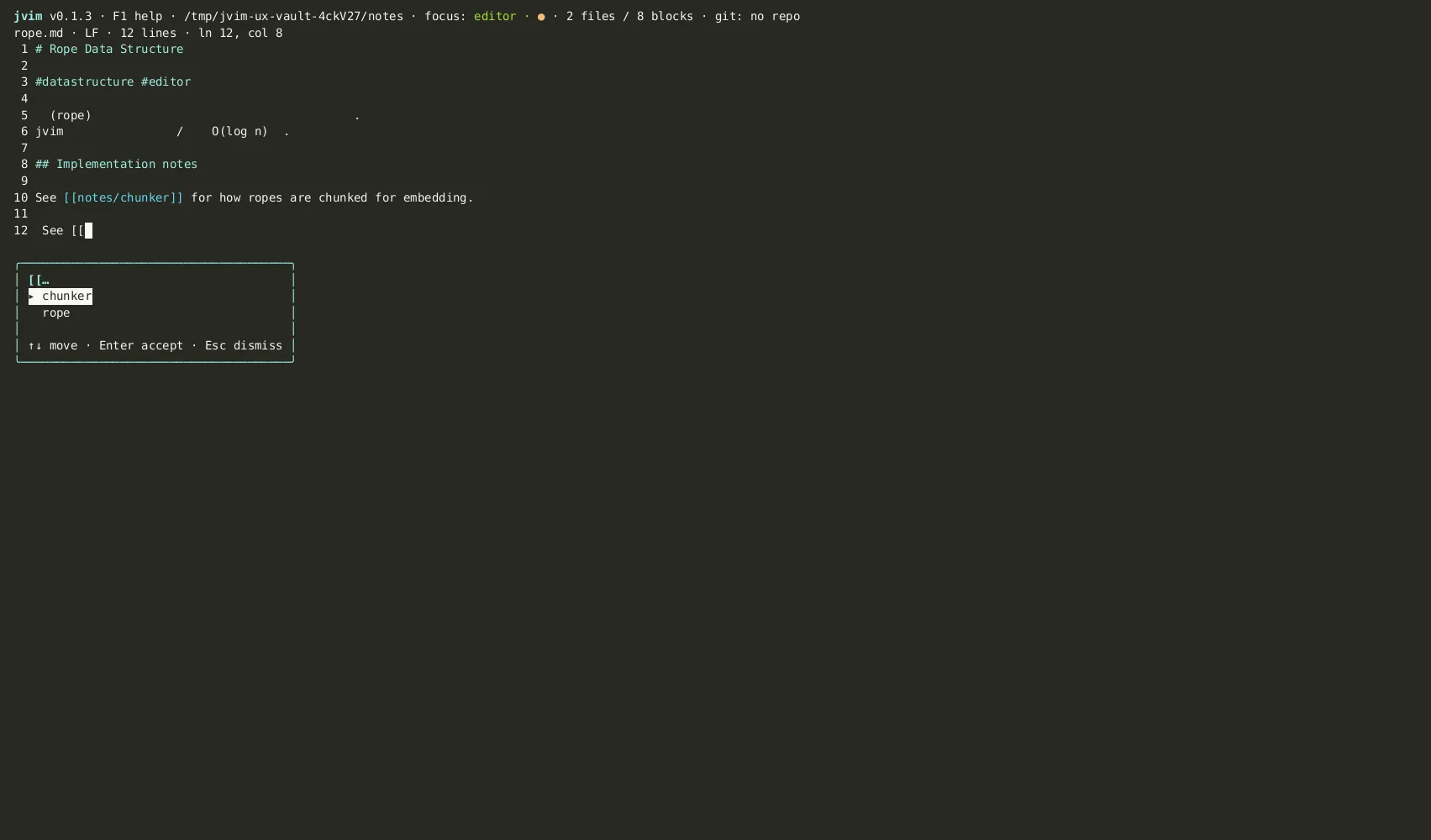
| Keys | Action | Notes |
|---|---|---|
[[ | Open wikilink autocomplete | Triggers vault-wide file search inline |
↑ / ↓ | Select candidate | Navigate the completion list |
Tab / Enter | Insert link | Completes the wikilink and closes the overlay |
Esc | Dismiss | Cancel without inserting |
The inserted link uses the bare filename without extension, matching Obsidian’s canonical wikilink format: [[my-note]]. If the target file does not exist yet, the link is still valid — jvim will create the file when you navigate to it.
Outbound Links Panel
Section titled “Outbound Links Panel”F8 opens the outbound links panel for the current document — every [[wikilink]] this file references, listed in one overlay. Use it to review where the current note connects before navigating away.
| Keys | Action | Notes |
|---|---|---|
F8 | Open outbound links panel | Shows all wikilinks in the current document |
↑ / ↓ | Select link | Move through the outbound link list |
Enter | Open target file | Opens the linked note in the editor |
Esc | Close panel | Return to the editor |
Backlink Graph
Section titled “Backlink Graph”Ctrl+B opens the backlink graph — every note in the vault that references the current file with [[wikilink]]. This is the reverse of the outbound panel: instead of where this note goes, it shows who links here.
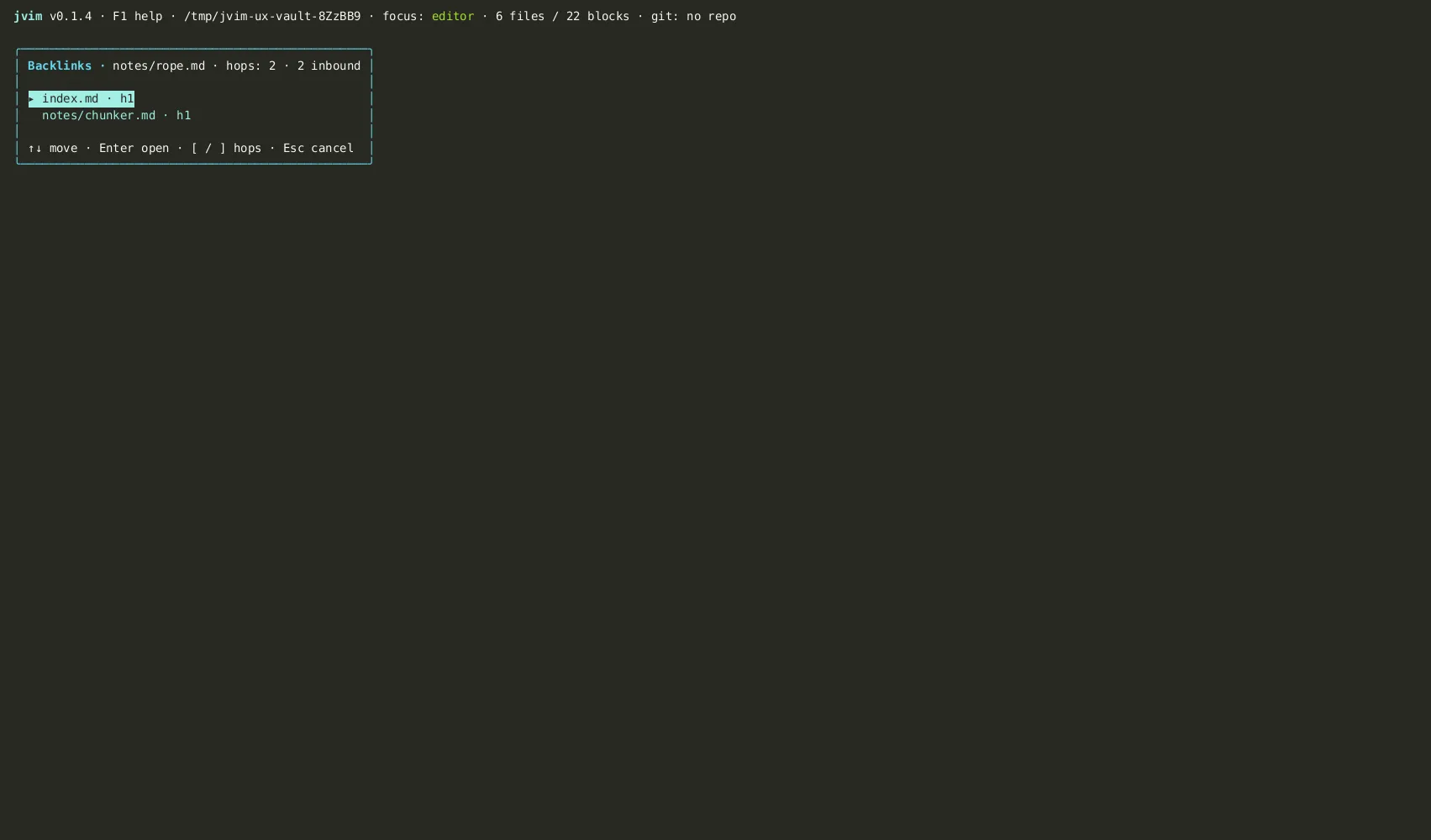
| Keys | Action | Notes |
|---|---|---|
Ctrl+B | Open backlink graph | Shows all notes that link to the current file |
↑ / ↓ | Select backlink | Move through the list of referencing notes |
[ / ] | Hop to neighbor | Navigate to an adjacent note while keeping the path highlighted |
Enter | Open selected note | Opens the backlink source in the editor |
Esc | Close graph | Return to the editor |
Wikilinks vs. Markdown Links
Section titled “Wikilinks vs. Markdown Links”jvim supports both [[wikilink]] and standard Markdown [text](path.md) syntax. The key differences:
Wikilink [[...]] |
Markdown link [](...) |
|
|---|---|---|
| Autocomplete | Yes — triggers on [[ |
No |
| Backlink tracking | Yes — indexed by jvim | No |
| Portability | Obsidian / jvim | All Markdown renderers |
| External URLs | Not suitable | [text](https://...) |
Use wikilinks for vault-internal connections where you want autocomplete and backlink tracking. Use standard Markdown links for external URLs or when portability to non-Obsidian tools matters.