
Vault Search
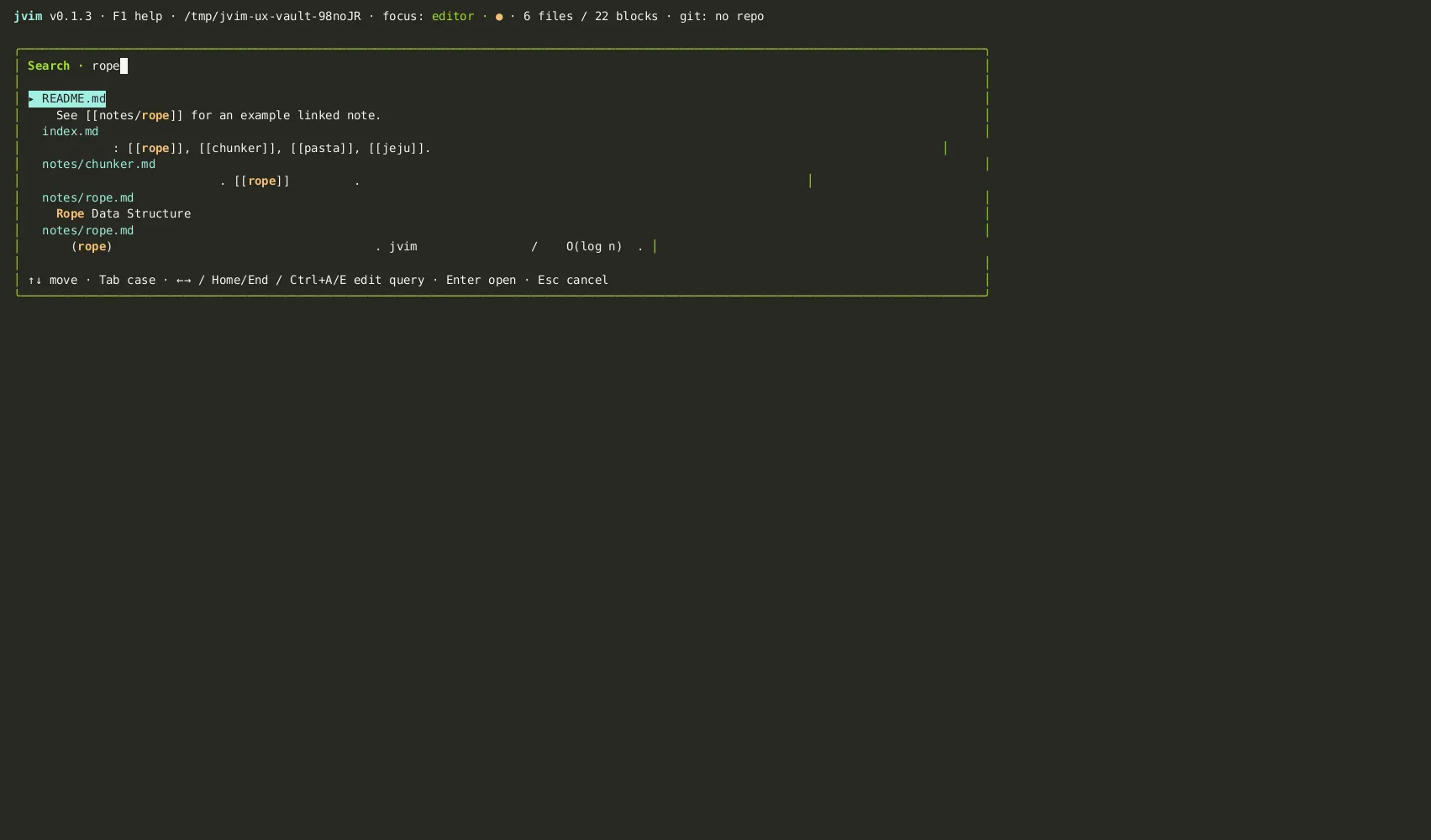
jvim indexes the open markdown folder with SQLite FTS5 for practical full-text search. The search overlay supports plain queries, quoted phrases, and structured filters such as tag: and path:.
Demo recording in progress — coming in the next release.
Opening the Search Overlay
Section titled “Opening the Search Overlay”Press Shift+F4 to open the vault search overlay from anywhere in jvim. Start typing and results appear in real time. Each result row shows the filename and a preview of the matching line so you can identify the right file at a glance.
| Keys | Action | Notes |
|---|---|---|
Shift+F4 | Open vault search overlay | Searches titles, body text, and tags across all files |
Enter | Open selected file | Jumps to the file; cursor placed at the matched line |
Esc | Close overlay | Returns focus to the editor without navigating |
Query Filters
Section titled “Query Filters”The search input understands these forms in addition to plain words:
tag:<name>— matches files that contain the specified tag. For example, typetag:travelto find files tagged#travel.path:<glob>— limits results to matching paths. For example,path:notes/*searches files undernotes/."quoted phrase"— searches for an exact phrase.
You can combine filters with regular keywords in a single query: tag:project meeting notes finds files tagged #project whose body also contains the words “meeting” and “notes”.
Case Sensitivity Toggle
Section titled “Case Sensitivity Toggle”By default the search is case-insensitive. Press Tab inside the overlay to toggle case sensitivity. An Aa badge appears next to the search input when case-sensitive mode is active; press Tab again to return to case-insensitive mode.
| Keys | Action | Notes |
|---|---|---|
Tab | Toggle case sensitivity | Aa badge is shown when case-sensitive mode is on |
Navigating Results
Section titled “Navigating Results”| Keys | Action | Notes |
|---|---|---|
↑ / ↓ | Move through results | Each row shows filename and the matched line preview |
Enter | Open the highlighted file | Cursor is placed at the line containing the match |
Semantic Search
Section titled “Semantic Search”Vault search uses keyword full-text matching (FTS5). For vector-based semantic search — “files about similar concepts” — see the Semantic Index page, which describes the separate Tier 2 embedding index and its Shift+F5 scope selector.